Placeholder

Run coding agents in parallel. Review their work in one native app.

Download Placeholder
Placeholder showing a Claude Code conversation about rate limiting, with the four changed files listed in a panel on the right.

Follow one card.

Not started

Start with a task.

Describe the work. Placeholder turns it into a card and tracks it through review.

The project board with Backlog, In progress and Needs review lanes. Card HAR-009, Signed webhooks with replay protection, is in progress with four agents.
Plan ready

Approve the plan.

A coordinator splits the task into assignments. You approve the plan before agents start.

A coordinator session listing four numbered assignments. In the sidebar, four worker agents are nested under the session, one marked Done and one Queued.
Workers running

Work in parallel.

Each agent gets its own worktree. Up to four run at once, without touching your branch.

How an orchestrated run moves through GitAn integration branch is created from main. Four worktrees fork from it, one per assignment. Each is reviewed, one is sent back for a fix round, and they merge into the integration branch one at a time with a check after every merge. Main is never changed.mainnever merged intorun starts, uncommitted work includedCutover flag OpenCode · queued, waits for Verify signaturesReplay protection CodexContract tests CursorVerify signatures Claude Codechanges requested, fix round 1 of 2✓ npm test✓ npm test✓ npm test✓ npm testorchestrate/signed-webhooks yours to review

In review

An independent agent checks each assignment.

Merging

Changes merge in order, with checks after each.

Asking orchestrator

A decider handles retries and blockers.

Finished

Review one branch.

Read the changes beside the conversation that produced them. Commit when you’re ready.

A split view: the conversation on the left, a red and green diff of rate-limit.ts in the middle, and the list of changed files with a Commit button on the right.

Beyond the run.

Ask a question. Get a chart.

Explore charts and diagrams right inside the conversation.
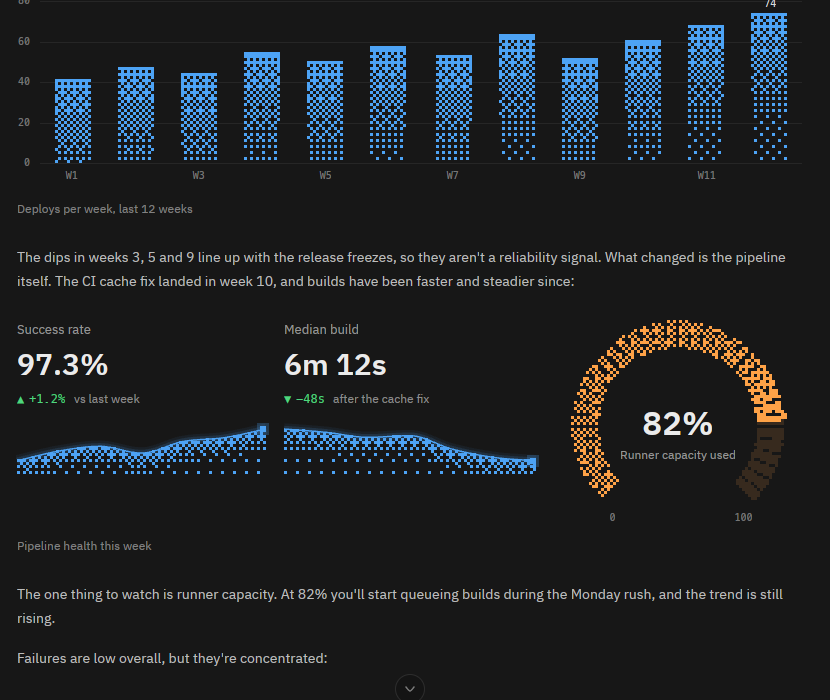
An answer about deploys that contains a bar chart of deploys per week, two trend statistics and a gauge reading 82 percent runner capacity.

A Minion is an agent that stays.

An always-on agent with memory, project context, and scheduled check-ins.
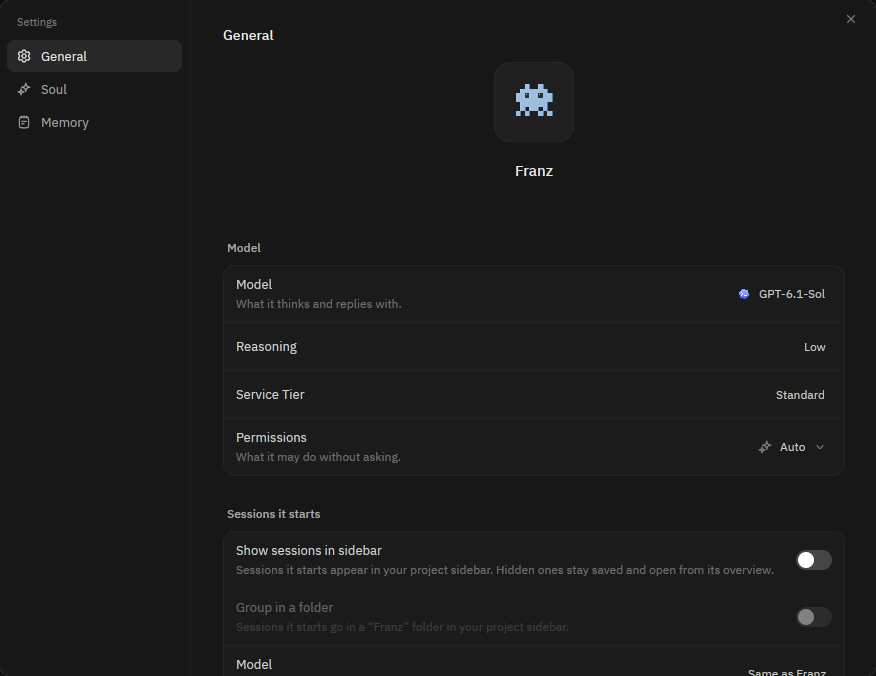
The settings of a Minion named Franz, shown as a small pixel-art character, with General, Soul and Memory pages and its model, reasoning and permissions.

Put the boring work on a schedule.

Schedule reviews, security scans, and the work you repeat.
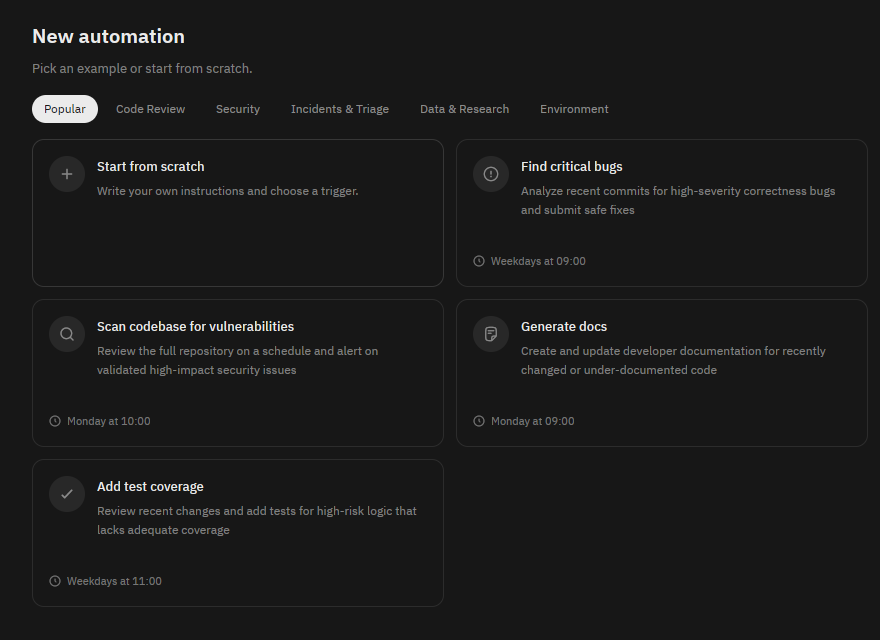
The New automation screen with example cards: Find critical bugs, Scan codebase for vulnerabilities, Generate docs and Add test coverage, each with a schedule.

The tools you need, built in.

Terminal
Built-in terminal, real PTY.
Editor
Syntax highlighting, folds and diagnostics.
Git
Branches, worktrees, staging and commits.
Checkpoints
Keep or undo each turn’s changes.
Inbox
Issues from your existing trackers.
Accounts
Switch accounts when you hit a limit.
Usage
Track usage and stop runaway tools.
Remotes
Run agents on other machines over SSH.
Notes
Save replies or send them back.
/btw
Ask without interrupting the current task.
Search
Find anything across your project.
Native
A native desktop app, built with GPUI.